Table of Contents
The Password Generator on FunnyFunHouse is completely free, runs entirely in your browser, and requires no downloads or sign-ups. Generate secure passwords with customizable length, character types, and strength indicators - never reuse weak passwords again
What It Does
Whether you are a beginner or a power user, the clean interface makes it easy to get started right away. Everything runs locally in your browser, so your data stays private and the tool loads instantly.
Key Features
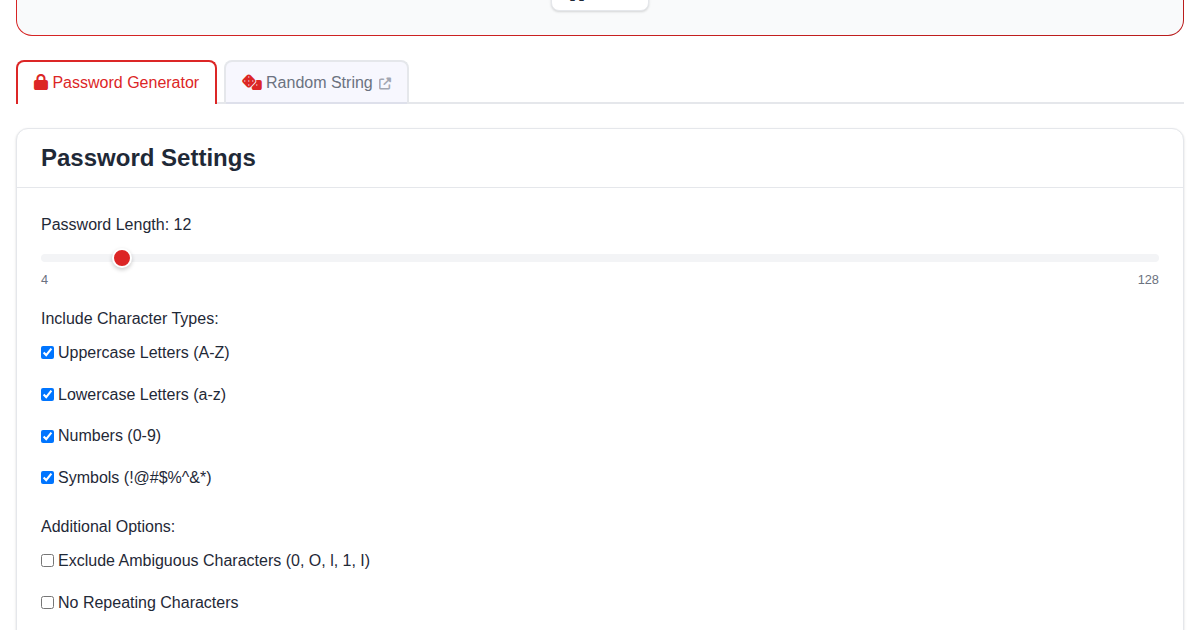
- Customizable length from 4 to 128 characters
- Toggle uppercase, lowercase, numbers, symbols
- Password strength indicator
- Entropy calculation
- One-click copy to clipboard
- Exclude ambiguous characters option
Common Use Cases
- Creating strong unique passwords for each account
- Generating API keys and tokens
- Security auditing and password policy compliance
- Creating temporary access codes
How to Get Started
Getting started is simple:
- Open the Password Generator page
- The tool is ready to use immediately - no setup required
- Your settings and data are saved locally in your browser
- Come back anytime and pick up where you left off
Why Choose a Browser-Based Tool?
Unlike installable apps, the Password Generator runs entirely in your browser. This means:
- No installation - works on any device with a web browser
- No accounts - no sign-up or login required
- Private - your data never leaves your device
- Always up to date - no manual updates needed
- Free forever - no premium tiers or hidden costs
Related Tools
If you enjoy the Password Generator, you might also like: